
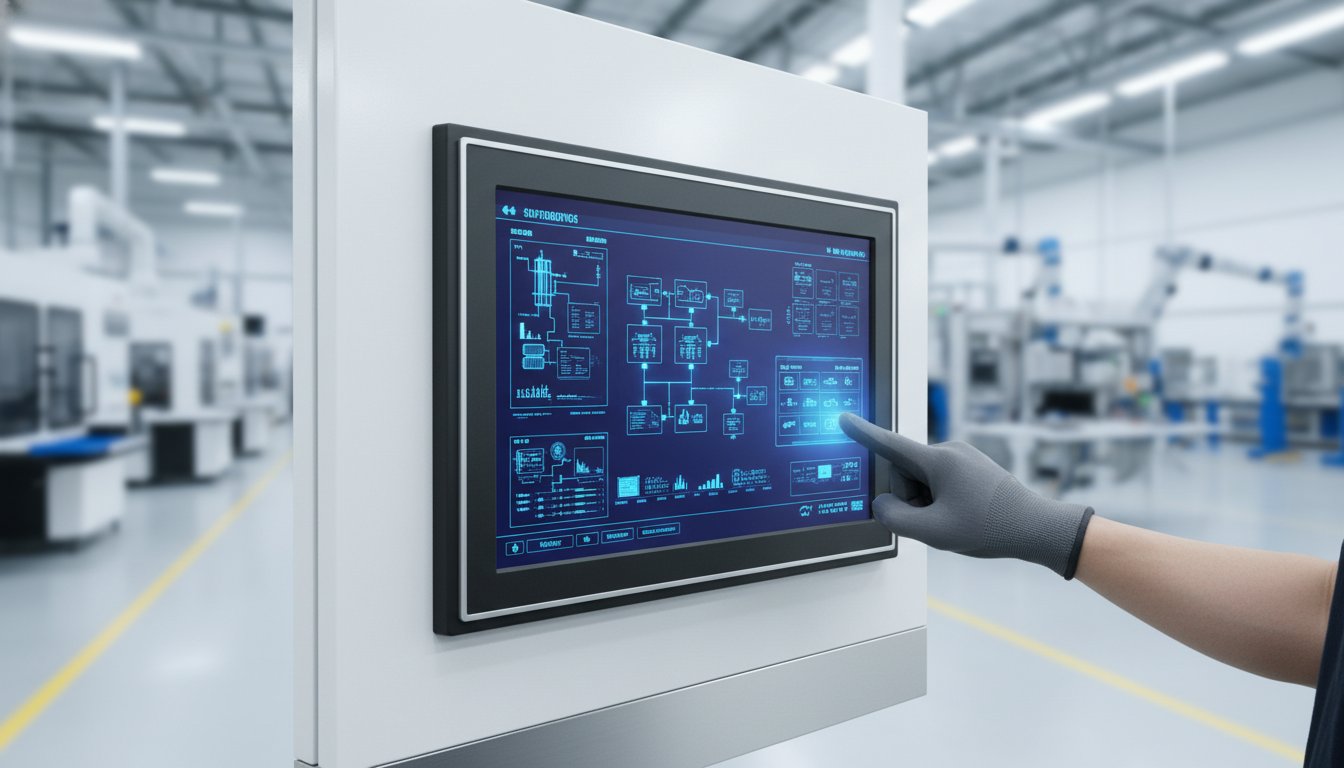
Don’t risk an expensive mistake. Choosing the wrong industrial monitor for your Australian facility means downtime and lost money. A screen that fails from dust, water, or vibration is a production halt waiting to happen. Confused by the specs? IP ratings, nits, touchscreen types, PLC compatibility-it’s a lot to get right. Worried about the high cost from major distributors? You need a tough, reliable monitor without the massive price tag.
This is your ultimate buyer’s guide. No fluff. Just the critical information you need to make the right choice. Get a practical checklist to evaluate any monitor. Understand the real-world difference between mounting types and screen technologies. Most importantly, learn how to find a genuine, high-quality unit at the best possible price in Australia. Stop guessing and start saving.
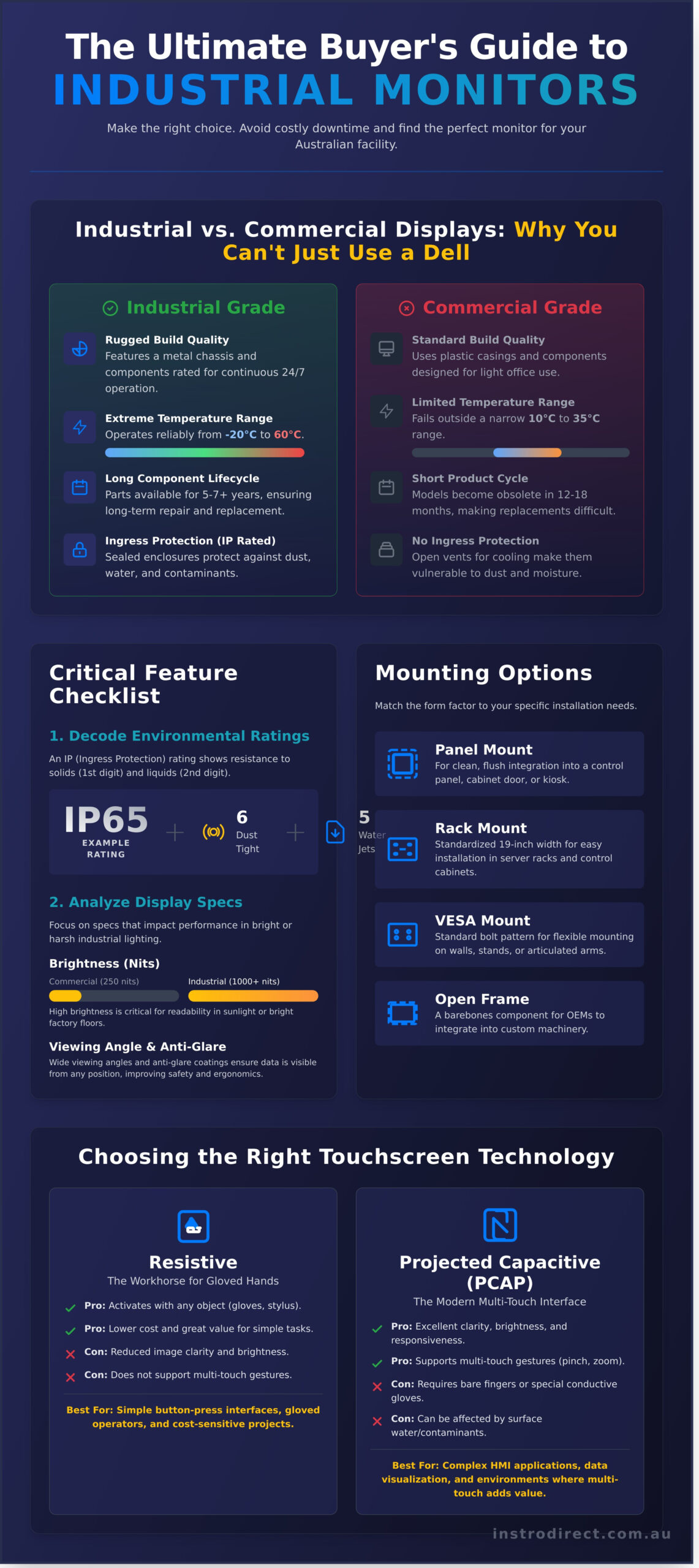
What is an Industrial Monitor (and Why You Can’t Just Use a Dell)?
An industrial monitor is a display engineered for reliability in harsh operational environments. It is not a standard office screen. While a commercial monitor from a brand like Dell might seem like a cheaper option upfront, it will fail quickly when exposed to dust, vibration, or extreme temperatures common in industrial settings.
The real value of a purpose-built industrial monitor is in its long-term performance. You get superior reliability, a longer product lifecycle, and ultimately, a lower total cost of ownership (TCO). Less downtime and fewer replacements mean direct savings for your operation, protecting your bottom line from unexpected A$ costs.
Key Differences: Industrial vs. Commercial Displays
The gap between industrial and commercial-grade displays is significant. Industrial models are built for work, not for desks. Key differences include:
- Build Quality: Industrial units feature rugged, often metal, chassis and use components rated for continuous 24/7 operation. Commercial monitors use plastic casings and are designed for light office use.
- Operating Temperature: An industrial display can operate in extreme temperatures, typically from -20°C to 60°C. A standard monitor will fail outside a comfortable 10°C to 35°C range.
- Component Lifecycle: Industrial monitor components are available for years, ensuring you can repair or replace units long-term. Consumer models have short product cycles, often becoming obsolete in 12-18 months.
- Ingress Protection (IP Rating): Sealed enclosures protect internal parts from dust and water ingress. Office monitors rely on open vents for cooling, making them vulnerable to contaminants.
Common Applications in Australian Industries
Across Australia, industrial monitors are critical for maintaining productivity in demanding sectors:
- Manufacturing: Used as a Human-Machine Interface (HMI) on the factory floor, providing operators with direct control and real-time monitoring of machinery and production lines.
- Mining & Resources: Essential for data visualisation in control rooms and on-site equipment in the Pilbara or Hunter Valley, withstanding constant vibration and extreme dust.
- Logistics & Warehousing: Vehicle-mounted displays on forklifts and picking carts provide critical information, streamlining inventory management in busy distribution centres.
- Food & Beverage: Stainless steel, wash-down-ready monitors are used in processing plants where hygiene is paramount and equipment must withstand regular high-pressure cleaning.
Critical Features to Consider Before You Buy
Choosing the right industrial monitor is simple. Match the specifications to your work environment. Use this checklist to cover the critical decision factors for any application, ensuring you get the performance you need at the best price.
Environmental Ratings: Decoding IP and NEMA Standards
An IP (Ingress Protection) rating tells you exactly how resistant a monitor is to solids and liquids. The first digit rates protection against solids like dust (0-6), and the second digit rates protection against liquids like water (0-9). For example, an IP65-rated industrial monitor is completely dust-tight and can withstand low-pressure water jets, making it ideal for food processing or factory floors. You may also see NEMA ratings, a similar standard used primarily on equipment from the USA.
Mounting Options: Panel, Rack, VESA, and Open Frame
How you install the monitor dictates the required form factor. Get the right fit for your facility.
- Panel Mount: Designed for a clean, flush-mount integration into a control panel, cabinet door, or kiosk.
- Rack Mount: Built to standardised 19-inch rack widths for easy installation in server racks and control cabinets.
- VESA Mount: Features a standard bolt pattern on the back for flexible mounting on walls, stands, or articulated arms.
- Open Frame: A barebones component with no enclosure, designed for OEMs and system builders to integrate into custom machinery.
Display Specifications That Actually Matter
Focus on the specs that impact performance in your environment. Don’t pay for features you don’t need.
Key display specs include brightness, measured in nits. A standard office monitor is 250-300 nits. For outdoor or direct sunlight applications, you need a high-brightness display of 1000 nits or more to remain readable. Also, match the resolution to the task-HD is sufficient for simple data, while 4K may be required for detailed schematics. Finally, the viewing angle is crucial. A wide viewing angle ensures operators can see critical data from multiple positions, a key factor in meeting modern ergonomics and safety standards and preventing errors. Look for anti-glare coatings to reduce reflection in bright factory lighting.
Choosing the Right Touchscreen Technology
Not all touchscreens are the same. A consumer-grade screen will fail quickly in a factory environment. The right touchscreen for your industrial monitor depends entirely on its job. How will operators interact with it? With bare hands, thick gloves, or a stylus? These monitors are often the primary human interface for a complex Industrial Control System (ICS), so reliability is critical. The two most common and cost-effective options are Resistive and Projected Capacitive (PCAP).
Resistive Touchscreens: The Workhorse for Gloved Hands
This technology works on simple pressure. Two flexible, conductive layers are pressed together to register a touch. It’s a simple, reliable, and low-cost solution for many industrial settings.
- Pros: Activates with any object-thick gloves, a stylus, or even a pen cap. Lower cost (A$), offering great value for straightforward applications. Unaffected by surface contaminants like dust and water.
- Cons: The extra layers reduce image clarity and brightness. Does not support multi-touch gestures like pinching or zooming. The surface is softer and more prone to scratches over time.
- Best For: Simple button-press interfaces, environments where operators always wear gloves, and cost-sensitive projects.
Projected Capacitive (PCAP) Touchscreens: The Modern Multi-Touch Option
PCAP screens work just like a modern smartphone, using an electrical field that your finger disrupts. This allows for a much more responsive and intuitive user experience, ideal for complex graphical interfaces.
- Pros: Superior image clarity with a bright, vibrant display. Features a durable, scratch-resistant glass surface for long life. Supports multi-touch for complex gestures like pinch-to-zoom.
- Cons: Standard PCAP screens do not work with most gloves, although specialised models are available at a higher price. Generally more expensive than resistive technology.
- Best For: Complex GUIs, data analysis applications, and cleaner environments where high display quality and a modern interface are required.
The final choice is clear. For maximum compatibility with gloved hands and a lower initial cost, choose a resistive industrial monitor. For a modern, multi-touch experience with superior image quality, PCAP is the better long-term investment. Selecting the correct technology ensures operator efficiency and reduces system downtime.
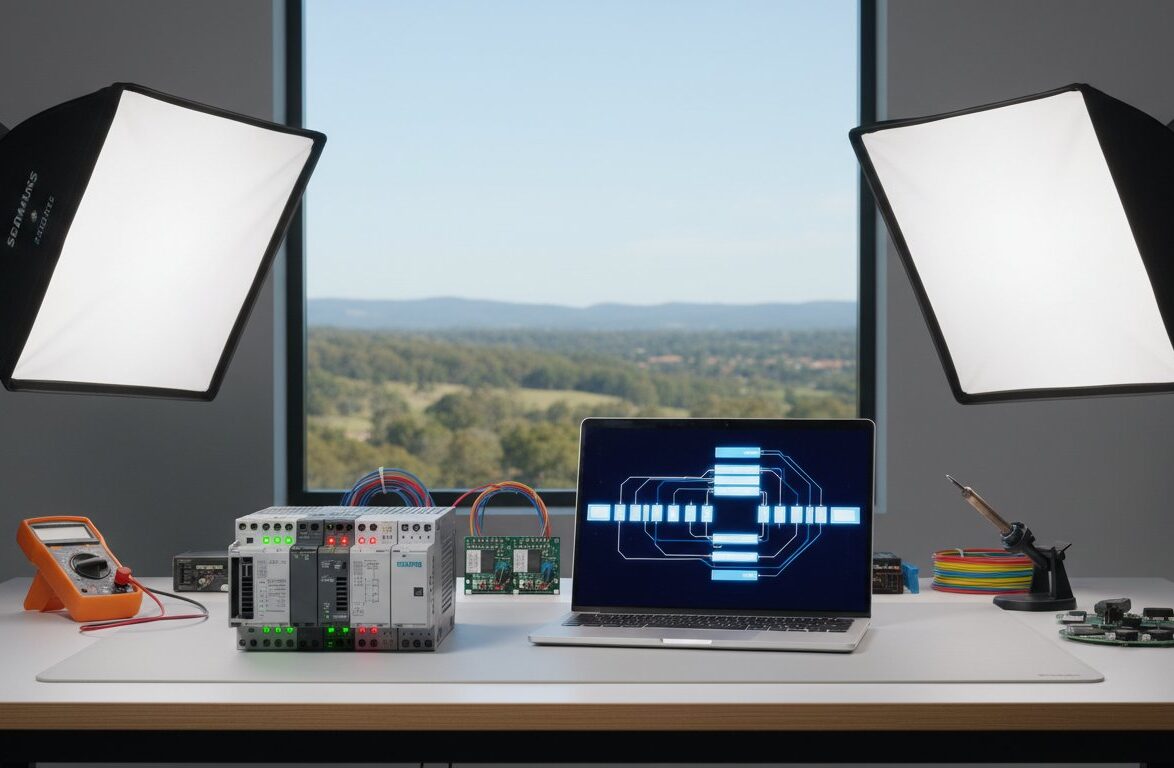
Integrating Your Monitor with PLCs and HMIs
An industrial monitor is more than just a screen; it’s the critical visual interface for your entire automation system. It serves as the display component of your Human-Machine Interface (HMI), allowing operators to view real-time data, control processes, and interact with the machinery managed by your Programmable Logic Controllers (PLCs).
Ensuring this monitor integrates seamlessly with your existing hardware is essential for operational efficiency. The key is understanding what you need: a simple display or a fully integrated computing solution.
Monitor vs. Panel PC: What’s the Difference?
Choosing the right hardware comes down to your system’s architecture. The primary decision is between a standard industrial monitor and an all-in-one Panel PC.
- Industrial Monitor: This is a rugged, durable display screen. It contains no internal computer and must be connected to an external video source, like an industrial PC or a box PC. Choose this if you already have a computer to run your HMI software.
- Panel PC: This is a complete, all-in-one unit that integrates a display and a computer into a single chassis. It’s the ideal choice for new installations or system upgrades where you need both the computer and screen in one compact, rugged package.
Ensuring Compatibility with Your System (Allen-Bradley, Siemens)
Compatibility is rarely an issue with modern monitors. Whether your plant runs on Allen-Bradley (Rockwell Automation) or Siemens PLCs, the connection is typically made to an industrial PC that outputs a standard video signal. Most industrial monitors accept common inputs like HDMI, DisplayPort, DVI, and VGA. The most important step is to simply check the video output port on your industrial PC or HMI controller and select a monitor with a matching input.
Finding the Right Components for Your Setup
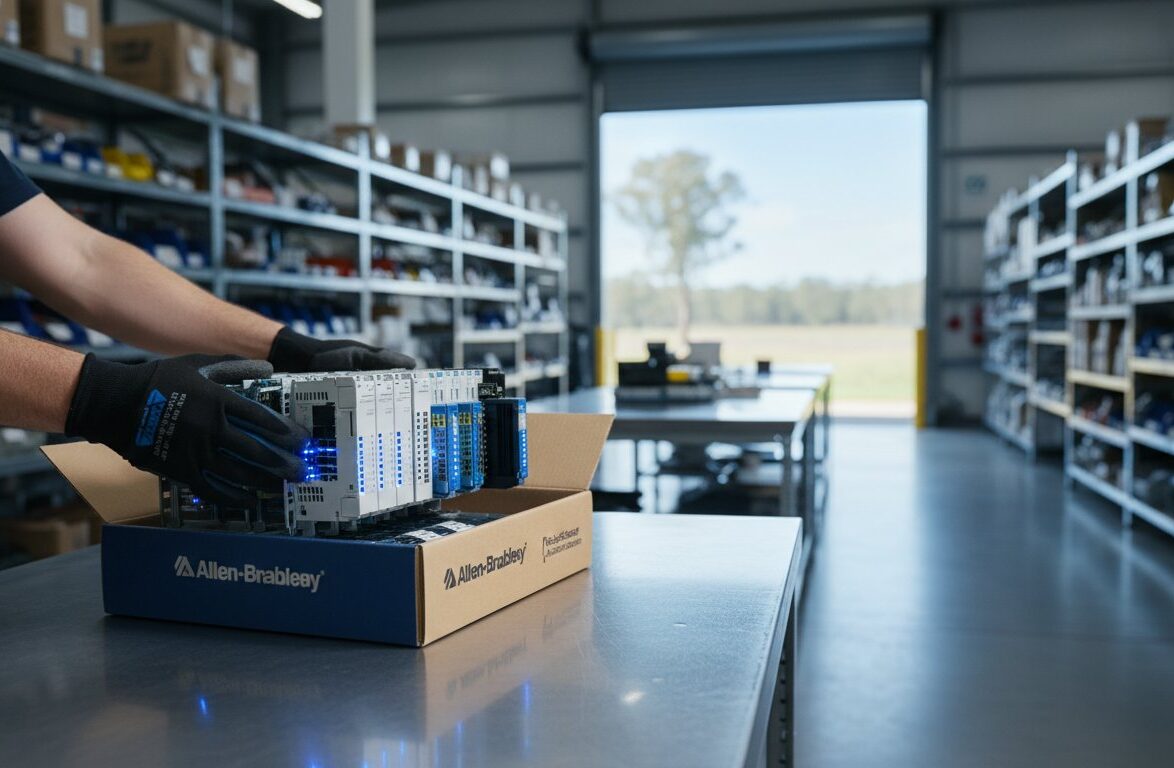
Once you know the specifications and connectivity you require, you need to source the hardware. We stock a huge range of automation components from the world’s leading brands at the best prices, helping you build or upgrade your system without overspending. From PLCs and PCs to the cables that connect them, we have the parts to complete your setup.
Browse our full range of industrial components to find what you need.
How to Buy Industrial Monitors in Australia
You’ve done the research and identified the key features your operation needs. The final step is sourcing and purchasing the hardware. In Australia, the traditional supply chain can add significant costs to essential equipment. At InstroDirect, we offer a smarter, more direct way to buy the industrial monitor and automation parts you need at prices that make sense for your budget.
Authorised Distributors vs. Parallel Importers: Get Better Prices
The standard way to buy is through an authorised local distributor. This model involves multiple layers-importers, wholesalers, and resellers-each adding a markup. We skip that. InstroDirect is a parallel importer. We source 100% new and genuine products directly from the global market and pass the savings to you. This means you get the same factory-sealed hardware, just without the inflated Australian price tag.
Getting Expert Advice and Sourcing Hard-to-Find Parts
Finding the exact part number or a specific configuration can be a challenge. Our team understands industrial hardware inside and out. We’re not just a shop; we’re a sourcing solution for engineers, technicians, and procurement managers. If you need a specific industrial monitor or a component that’s hard to find locally, we can get it. Our value proposition is simple:
- Better Prices: Save significantly compared to manufacturer RRP through our direct import model.
- Huge Availability: Access a global inventory of new and surplus stock from leading brands.
- Expert Help: Get direct, no-nonsense support to find exactly what you need.
Can’t find what you’re looking for? Ring us. We are here to help. Check our online shop or call our team for direct assistance and get your project moving.
GET THE RIGHT INDUSTRIAL MONITOR AT THE BEST PRICE
Selecting the correct industrial monitor isn’t just an upgrade-it’s an investment in uptime. As we’ve covered, consumer-grade screens will fail in tough conditions. You need the right IP rating, touchscreen technology, and PLC compatibility for your Australian operations. This is non-negotiable for system reliability and performance.
Why pay more? At InstroDirect, our direct import model cuts out the middleman, giving you amazing deals on genuine parts. We provide expert support to help you find the right components and deliver them with fast, Australia-wide shipping. Lower prices. Genuine hardware. No hassle.
Don’t see the specific model you need? Contact us directly for a quote! We are here to help you source the right parts and save you money.
Frequently Asked Questions
What is the typical lifespan of an industrial monitor?
The lifespan of an industrial monitor is measured by its backlight’s Mean Time Between Failures (MTBF), typically rated for 50,000 to 100,000 hours. This equals over 5 to 11 years of continuous 24/7 operation. Factors like extreme heat, vibration, and power quality can reduce this lifespan. Investing in a unit with a higher MTBF rating ensures long-term reliability and lower replacement costs, giving you better value over the monitor’s service life in your Australian facility.
Can an industrial monitor be used in direct sunlight?
Yes, but only if you select a specific “sunlight readable” model. Standard monitors will be unusable. Look for displays with a high brightness rating of at least 1,000 nits. Models featuring optical bonding are even better, as this process reduces internal reflection and improves contrast for clear visibility in bright Australian conditions. Always check the product specifications for a high-nit rating before purchasing for outdoor or direct sunlight applications to avoid costly mistakes.
What’s the difference between an industrial monitor and an HMI?
An industrial monitor is simply a rugged display screen. It requires connection to a separate industrial PC or computer to show information. In contrast, a Human-Machine Interface (HMI) is an all-in-one device. It has its own built-in computer, operating system, and software for direct machine control and visualisation. Think of the monitor as just the screen, while the HMI is the screen and the computer combined into a single, integrated unit.
Are industrial monitors repairable?
Yes, many components are repairable. Common failures like backlights, power supplies, and inverters can often be replaced, extending the unit’s life. However, the cost-effectiveness depends on the fault and age of the monitor. For major failures like a cracked LCD panel, or for older models where parts are scarce, a full replacement is often the cheaper and faster solution. We can help you source replacement parts or find a new unit at the best price.
How do I clean a wash-down-rated industrial touchscreen?
First, power down the unit to prevent accidental inputs. For general cleaning, use a soft, lint-free cloth lightly dampened with a 70% isopropyl alcohol solution or a mild, non-abrasive cleaner. For true IP65/IP66 wash-down rated monitors, you can use a low-pressure water spray. Never use harsh solvents, abrasive powders, or high-pressure jets, as these can damage the screen surface or seals. Always consult the manufacturer’s specific cleaning guidelines for your model.
Do I need special drivers for an industrial touchscreen monitor?
Usually, no. Most modern industrial touchscreen monitors use PCAP technology and are HID-compliant, meaning they work out-of-the-box with operating systems like Windows 10 and 11. The OS has built-in drivers. However, some older resistive touchscreens or specialised units may require a specific driver from the manufacturer for calibration or multi-touch features. Always check the product’s support page, but for most new installations, it’s a simple plug-and-play process.
Leave a Comment
Your email address will not be published. Required fields are marked *