
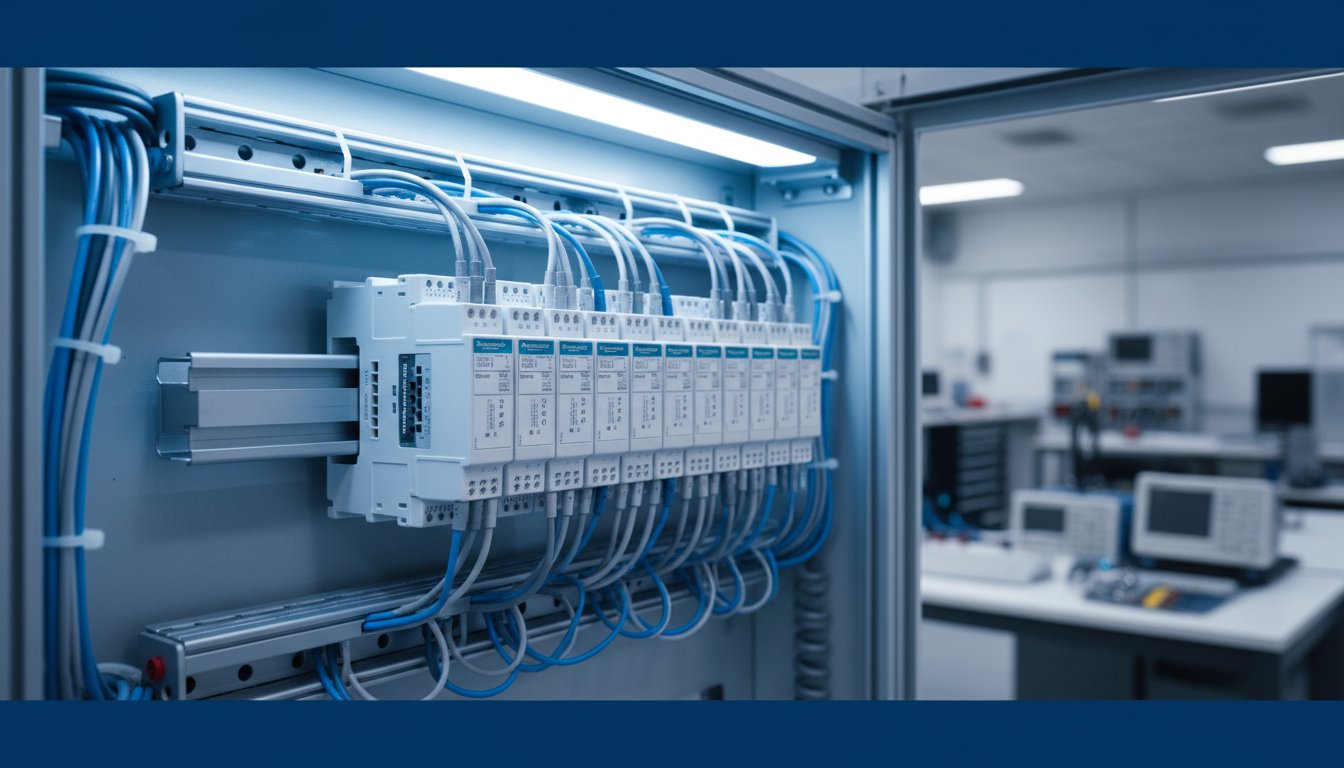
Stop wasting time trying to decode Schneider TM3 part numbers. Finding a clear summary of the entire Modicon TM3 I/O range, from a specific tm3 1 module to the most complex expert units, is a challenge. Verifying compatibility with your M221, M241, or M251 PLC shouldn’t be a guessing game. And finding a local Australian supplier with good stock and even better pricing? That’s the biggest hurdle.
This guide solves those problems. Here is your complete technical overview of the Schneider TM3 expansion modules. Get the facts you need to understand the full capabilities of the system. Confidently select the correct digital, analog, or expert module for your application. We make it simple to verify compatibility and even simpler to source and purchase the modules you need efficiently in Australia. Get the right parts at the best prices. No more delays.
Key Takeaways
- Confirm PLC Compatibility: Get a definitive list of Modicon controllers (M221, M241, M251, M262) that work with the TM3 I/O expansion system.
- Streamline Module Selection: Use our practical guide to specify the exact digital, analog, or safety I/O module you need, from a basic tm3 1 digital input to advanced units.
- Understand the Full Range: Quickly identify the function of each TM3 module type-from digital and analog to safety and expert modules-to find the right solution for your application.
- Simplify Installation: Learn the basics of the simple DIN rail mounting and bus connection process for a fast and error-free setup.
- Save on Your Purchase: Discover how to source genuine Schneider TM3 modules in Australia at competitive prices through parallel importing.
What is the Schneider Modicon TM3 Expansion System?
The Schneider Modicon TM3 expansion system is a flexible and high-performance solution designed to extend the input/output (I/O) capabilities of Modicon M221, M241, M251, and M262 programmable logic controllers (PLCs). Its core purpose is to provide a cost-effective way to scale your automation system, adding the exact functionality you need without paying for an oversized controller. As the modern successor to older systems like the TM2, the TM3 range offers better performance in a more compact package.
This modular system is built for efficiency, delivering significant benefits for system integrators and end-users in Australia. Key advantages include:
- Space-Saving Design: TM3 modules are compact, saving valuable DIN rail space inside control panels where every millimetre counts.
- Wide Range of Modules: From basic digital I/O to specialised analog, temperature, and safety modules, the TM3 system has a solution for almost any application.
- Fast, Easy Installation: The tool-free locking mechanism and integrated bus system dramatically cut down on wiring and installation time, reducing overall project costs.
Key Features of the TM3 I/O Bus
At the heart of the system is the TM3 I/O bus. This high-speed interface is built into the side of compatible Modicon controllers and each expansion module. It allows for rapid data exchange between the PLC’s processor and all connected I/O, ensuring your control system responds instantly. Adding modules is simple: just slide a new module onto the side of the last one until the locking mechanism clicks into place. This secure, tool-free connection provides both the power and data link, simplifying panel builds and maintenance.
When Do You Need a TM3 Module?
You need a TM3 expansion module when your control application demands more than the base PLC can offer. Common scenarios include:
- Your project requires more inputs/outputs. If the number of sensors, switches, motors, or valves exceeds the I/O points on your main controller, TM3 modules allow you to expand capacity. You can add exactly what you need, whether it’s a single extra tm3 1-channel safety relay or a 32-point digital input card.
- You need to add specific signal types. Standard PLCs are great for digital on/off control, but many applications require specialised signals. The TM3 range includes modules for analog inputs (4-20mA, 0-10V), temperature sensors (RTD, thermocouple), and high-speed counters.
- You need to incorporate safety functions. For machine safety compliance, dedicated TM3S safety modules can be added to manage emergency stops, light curtains, and safety interlocks. This integrates safety control directly into your PLC system, streamlining wiring and programming for a safer, compliant machine.
TM3 Compatibility: Which PLCs Can You Use?
Get the right fit for your system. Schneider TM3 I/O modules are engineered for seamless integration with the Modicon controller family. They serve as the primary and most cost-effective expansion solution, allowing you to scale your automation projects without replacing your core PLC.
The TM3 series is compatible with these main controller families:
- Modicon M221
- Modicon M241
- Modicon M251
- Modicon M262
Expansion can be achieved locally, by physically connecting modules directly to the PLC, or remotely, by setting up I/O islands connected over an industrial network. This flexibility allows you to build centralised or distributed control architectures with the same set of I/O modules.
Modicon M221, M241, and M251 Controllers
For the Modicon M221, M241, and M251 logic controllers, TM3 modules are the standard for local I/O expansion. The connection is direct and simple. Each module clips onto the side of the PLC or the preceding module, connecting automatically via the integrated TM3 bus. No complex wiring or backplane is needed, saving you time and panel space.
Understanding Expansion Limits
The maximum number of TM3 modules you can connect depends on the specific PLC model. Exceeding these limits or the system’s power budget can lead to performance issues. Always verify your configuration in Schneider’s EcoStruxure Machine Expert software.
The table below provides a quick reference for maximum local expansion configurations. Whether you’re adding a basic digital input module like a tm3 1 or a complex analog card, these limits apply.
| Controller Family | Maximum Local TM3 Modules |
|---|---|
| Modicon M221 | 7 modules |
| Modicon M241 | 7 modules |
| Modicon M251 | 7 modules |
For larger systems or remote I/O, you can use TM3 bus couplers (like the TM3BC). An M241 or M251 controller can support up to 7 local modules plus an additional 7 remote modules. For high-performance applications, the Modicon M262 can manage multiple remote I/O islands, each containing up to 16 TM3 modules, connected via Sercos or EtherNet/IP.
To split a local I/O rack-for example, across two DIN rails in a tight cabinet-use the TM3XTRA1 and TM3XREC1 bus expansion modules. These allow you to extend the TM3 bus with a simple cable connection.
A Deep Dive into TM3 Module Types
The Schneider TM3 expansion I/O system offers total flexibility for your Modicon M221, M241, or M251 controller. Don’t pay for I/O you don’t need. Build the exact system your application requires by choosing from a wide range of digital, analog, and expert modules. The flexibility of the tm3 1 platform means you can mix and match these modules to create a cost-effective, customised control solution.
Digital I/O Modules (TM3DI, TM3DQ)
For fundamental on/off control and monitoring. Digital modules are the workhorses of any PLC system, used for reading signals from switches and sensors or controlling contactors, solenoids, and indicator lights. Get the exact I/O count for your job.
- Function: Reads discrete (on/off) input signals and controls discrete output devices.
- Channel Counts: Available in 8, 16, and 32-point versions to match your panel size and budget.
- Variations: Choose from sink/source (PNP/NPN) inputs and fast-switching transistor or high-power relay outputs.
Find the best prices on TM3 Digital I/O Modules here.
Analog I/O Modules (TM3AI, TM3AQ)
When you need to measure or control variable signals, analog modules provide the necessary precision. Ideal for process control applications involving pressure, flow, temperature, or motor speed. The tm3 1 system integrates these seamlessly.
- Function: Measures variable signals like voltage and current, and controls analog devices like VSDs or proportional valves.
- Resolution & Signals: High-resolution (12-bit+) modules for standard signals including 0-10V and 4-20mA.
- Specialised Modules: Dedicated modules are available for direct connection to temperature sensors like thermocouples (J, K, T type) and RTDs (Pt100, Pt1000).
Shop our deals on TM3 Analog & Temperature Modules.
Expert & Safety Modules (TM3S)
For advanced applications and critical safety functions, Schneider offers specialised TM3 modules. Expert modules handle specific high-performance tasks, like high-speed counting (HSC) from encoders, freeing up the main PLC processor. TM3 Safety modules (TM3S) are essential for building safety circuits that comply with Australian machine safety standards (AS/NZS 4024).
- Expert Modules: Handle demanding tasks like motion control and high-speed counting.
- Safety Modules: Used to implement safety functions such as emergency stops (E-stops), safety gates, and light curtains.
- Compliance: A crucial component for achieving required Performance Levels (PL) and Safety Integrity Levels (SIL) for machinery.
Can’t find the specific expert or safety module you need? Contact us directly for a quote.

How to Select and Specify the Right TM3 Module
Choosing the correct I/O module is critical for system performance and budget. Get it right the first time. This straightforward, three-step process helps you specify the exact Schneider Electric TM3 module for your application, saving you time and money on your project.
Step 1: Analyse Your Application’s I/O Needs
Before looking at part numbers, define your system requirements. A clear I/O list prevents over-spending on channels you don’t need or return trips for modules you forgot. Start with a simple count.
- Digital I/O: Count the exact number of digital sensors (proximity, limit switches) for your inputs and the number of devices to control (contactors, solenoids, indicator lights) for your outputs.
- Analog I/O: List all analog signals. Specify their type-is that pressure transmitter 4-20mA or 0-10V? Do you need direct thermocouple or RTD inputs for temperature?
- Future Expansion: Always consider future needs. Adding 15-20% spare I/O capacity now is far cheaper than adding a new expansion module later.
Step 2: Decode the TM3 Part Number
Schneider’s part numbering system is logical and easy to understand once you know the structure. It tells you the module family, function, channel count, and hardware type at a glance. For example, a part number like TM3DI16 tells you it’s a TM3 16-channel Digital Input module. Understanding this system makes sourcing fast and accurate.
Let’s break down another common example, TM3DQ16R:
- TM3: The product family (Modicon TM3 Expansion Module).
- D: Digital.
- Q: Output. (An ‘I’ in this position would mean Input).
- 16: The number of I/O channels.
- R: The output type. R = Relay, T = Transistor (sinking), G = Transistor (sourcing).
Step 3: Check Technical Specifications
Finally, verify the electrical specs to ensure full compatibility with your field devices. Matching the module to your sensors and actuators is non-negotiable for reliable operation. Check the datasheet for these key values:
- Voltage Levels: Confirm the module matches your system logic. Common specs are 24VDC for digital inputs and transistor outputs, or up to 240VAC for relay outputs.
- Current Ratings: Ensure the output current rating (e.g., 2A per relay output) is sufficient to drive your connected load, like a solenoid or contactor coil, without overload.
Need help finding the exact module with the right specs at the best price? We source directly to save you more. Browse our full range of automation parts here.
Installation Basics and Wiring
Schneider Electric designed the Modicon TM3 I/O system for rapid, straightforward installation, saving you valuable time on site. The entire process focuses on efficiency, from mechanical mounting to electrical wiring. This overview covers the basics for getting your system operational. Installing a Schneider tm3 1 module, or any other in the series, follows a simple, consistent procedure.
Crucial Safety Note: This guide is for informational purposes only. ALWAYS consult the official Schneider Electric user manual for your specific TM3 module before attempting any installation or wiring. Incorrect wiring can lead to equipment damage and poses a serious safety risk.
Before starting, ensure you have a suitable 24 Vdc power supply. The I/O modules require a dedicated power source, separate from the controller’s supply, to function correctly. Check the module’s datasheet for specific current consumption figures to size your power supply appropriately.
Mechanical Installation
Mounting your TM3 modules is a tool-free process designed for speed. Each module features an integrated clip for standard 35 mm DIN rails. Simply hook the top of the module onto the rail and press the bottom part firmly until it clicks securely into place. To add more modules, slide them along the DIN rail until the bus connectors on the side engage. A locking latch on each module secures it to the next, creating a robust and electrically continuous I/O block.
Wiring Terminals and Best Practices
Most TM3 modules, including the popular tm3 1 variants, use removable terminal blocks with either screw or spring connections. This allows for easy pre-wiring and fast module replacement without disturbing field wiring. For reliable, long-term performance, follow these best practices:
- Use Correct Wire Gauge: Use the recommended wire size, typically between 0.2 mm² and 1.5 mm² (24 to 16 AWG), as specified in the manual.
- Employ Wire Ferrules: For stranded wires, always use crimped wire-end ferrules. This ensures a secure connection, prevents stray strands, and improves conductivity.
- Separate Wiring: Where possible, route low-voltage sensor/signal cables separately from high-voltage power lines to minimise electrical noise and interference.
Need more components for your control panel? Find the best deals on all Schneider Electric I/O and PLC equipment at InstroDirect Australia.
Where to Buy Schneider TM3 Modules in Australia
For Australian businesses looking to source Schneider Electric TM3 I/O modules, getting the right part at the best price is critical. Bypassing traditional distribution channels with inflated costs is key to staying competitive. InstroDirect is your go-to supplier for genuine Schneider Electric automation parts, offering a direct path to significant savings and local support.
We leverage a parallel importing model to source TM3 modules globally, cutting out the middleman and passing the savings directly to you. This means you get authentic hardware, from a specific tm3 1 digital input module to a complex analogue expansion, at prices that consistently beat the manufacturer’s recommended retail price (RRP) in Australia.
Why Choose InstroDirect?
When you need reliable automation components without the high price tag, InstroDirect delivers. Our entire business model is built to give you a direct advantage.
- Direct Pricing, BIG Savings: Our parallel importing strategy means we can offer amazing deals on the entire TM3 range. You save more because you’re not paying for the layers of distribution markups common in the Australian market.
- Local Australian Stock: Forget long international lead times. We hold a wide range of common Schneider TM3 modules in our Australian warehouse, ready for fast dispatch. Get your operations back online quicker with a local stockist.
- Expert Technical Support: Not sure which module fits your M221, M241, or M251 PLC? Our experienced team is here to help. We can verify part numbers and help you find the exact tm3 1 series module or alternative you need for your application.
Get a Quote or Find Your Part Today
Ready to get the best price on your next TM3 module? Our online store lists current stock levels and direct pricing, making it easy to order what you need, when you need it. Browse our extensive catalogue of Schneider Electric parts and see the savings for yourself.
If you can’t find the specific part you’re looking for, don’t worry. Our sourcing team is here to help. Give us a call directly to locate hard-to-find components.
Can’t find it? Call us. Shop for TM3 modules online now.
Power Your PLC System with Schneider TM3
The Schneider Modicon TM3 expansion system delivers unmatched flexibility and performance for your automation projects. As we’ve covered, success lies in understanding TM3 compatibility and correctly specifying the right I/O modules for your application. From a single tm3 1 module to a full-rack configuration, this system is designed to scale with your needs, ensuring you have the precise control required for any task. Mastering selection and installation is the final step before implementation.
Ready to build or expand your system? Don’t pay premium prices. InstroDirect offers unbeatable value on genuine Schneider Electric hardware. We achieve this through direct parallel importing, passing the savings directly to you. Get the best deals backed by expert Australian support and fast shipping from our Queensland warehouse. Take control of your project budget and timeline.
Shop our range of Schneider Electric TM3 Modules at great prices.
Frequently Asked Questions
What is the difference between the Modicon TM2 and TM3 series?
The Modicon TM3 series is the modern, high-performance successor to the older TM2 series. Key advantages of the TM3 line include a faster expansion bus, a more compact physical design to save DIN rail space, and a much wider selection of available modules. This includes specialised modules like safety I/O and dual-port Ethernet modules that are not available in the TM2 range. For new systems, TM3 is the standard choice for better performance and future-proofing.
How many TM3 expansion modules can I connect to a Modicon M221 PLC?
A standard Schneider Modicon M221 PLC can support a maximum of 7 TM3 expansion modules. This limit allows for a significant and flexible I/O count for most small to medium automation tasks. If your application requires more than 7 expansion modules, you must upgrade to a more powerful controller from the Modicon M241 or M251 series. Always confirm the exact limit in the datasheet for your specific M221 CPU model.
Do TM3 modules require their own external power supply?
No, the internal logic of TM3 modules is powered directly from the PLC controller via the expansion bus connector. This design simplifies system wiring and reduces overall cost. However, be aware that certain modules, especially high-current digital output or analog modules, may require a separate external 24V DC supply to power their field-side I/O terminals. Always check the module’s installation sheet for its specific power requirements.
Can I mix different types of TM3 modules (digital, analog) in one rack?
Yes, you can absolutely mix and match different types of TM3 modules on a single expansion bus. This flexibility is a core feature, allowing you to create a custom I/O configuration tailored precisely to your application’s needs. For example, your first module, or tm3 1, could be a digital input, followed by an analog output and a temperature module, all connected to the same PLC. This saves space and reduces hardware costs significantly.
Are TM3 modules hot-swappable?
No, Modicon TM3 modules are not hot-swappable. To prevent electrical damage to the module, the PLC, or the expansion bus, you must completely power down the system before adding or removing any TM3 module. Attempting to change a module while the system is energised can cause permanent hardware failure. Always follow proper lockout/tagout procedures and ensure the controller is powered off before performing any maintenance on the I/O rack.
What software is used to configure Modicon TM3 modules?
Modicon TM3 modules are configured using Schneider Electric’s EcoStruxure Machine Expert software. For use with the Modicon M221 PLC, you will use EcoStruxure Machine Expert – Basic, which is available as a free download. For more advanced controllers like the M241 or M251, the full version of EcoStruxure Machine Expert is required. The software automatically detects each connected module, simplifying the hardware configuration process for your project.

Leave a Comment
Your email address will not be published. Required fields are marked *